MapsReply automatically replies to Google reviews in your tone of voice. You choose which ratings get a reply right away and which are shown to you first in Telegram or by email.
Had a flat white with oat milk and a warm cheesecake, all on the table in five minutes at lunchtime. The barista even remembered I take no sugar.
4–5★ review: published by your rule.1–3★ review: waits for your approval by default.
MapsReply reply
New review on GoogleMapsReply is preparing a reply…
Glad the cheesecake arrived warm and your coffee came just the way you like it. Our barista will be pleased his memory got a mention - and there's always oat milk in for you.
Published automatically by your rule
Waiting for your approval
Published on Google
How it looks in Maps
Customer review★★★★★
Had a flat white with oat milk and a warm cheesecake, all on the table in five minutes at lunchtime. The barista even remembered I take no sugar.
Owner reply · just now
Glad the cheesecake arrived warm and your coffee came just the way you like it. Our barista will be pleased his memory got a mention - and there's always oat milk in for you.
Not a template. A conversation. In your own voice.
The customer sees a reply about their own visit, not a stock line: warm for a café, precise for a garage. By default you approve each reply with one tap; 4-5 star replies go out on their own only if you switch that on.
50% of customers are unlikely to choose a business that posts templated replies.1
1 Lowest published prices for running a Google Business Profile of one location, replies to reviews included: Impeca, Pro-Fits, LuxSite, SeoTiGR, checked 1 November 2026. Packages usually also include posts and profile updates.
2 Review services estimate 3-15 minutes per reply, most often 5. There are no independent measurements.
Warm, calm or business. Add your signature, words to avoid and examples of your own replies. Drafts follow your rules.
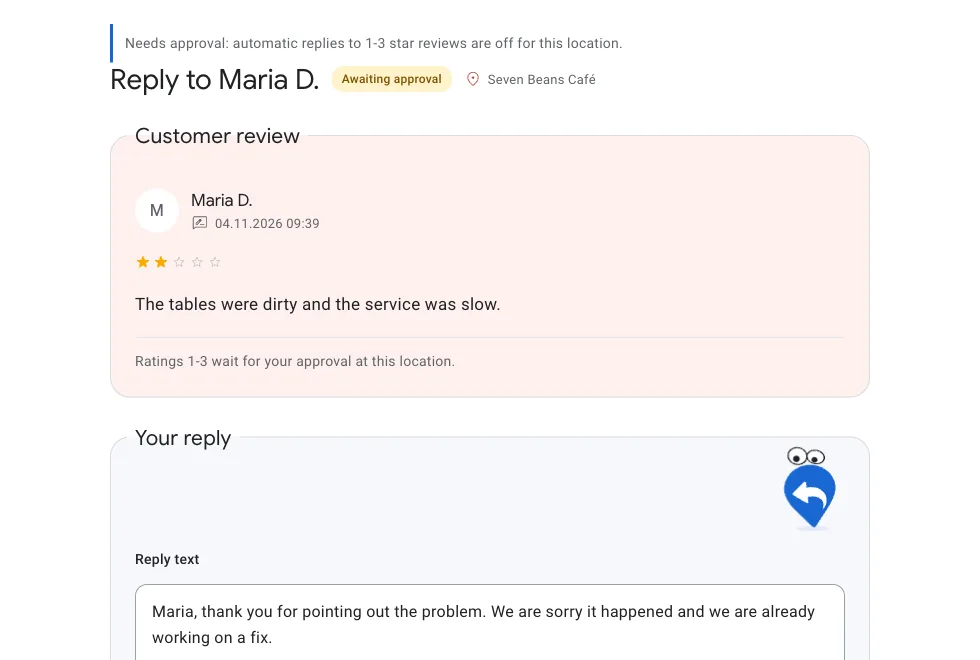
1-3 stars wait for you by default
A reply to criticism goes to you first: edit the draft or ask for another variant, then approve. You can turn on automatic replies for 1-3 stars yourself; nothing goes out on its own until you turn automation on.
Safe access to Google
We work only with reviews and replies of the locations you choose.
We never edit your profile, delete reviews or see your email and payments.
Revoke access any time in your Google Account settings.
We don’t translate a template; we write the reply in the language of the review itself. Customers read it in their own language, which feels warmer. Your workspace language is set separately.
How it works
Getting started is easier than putting it off.
Set it up once, and it replies every day.
01
Connect your business
Authorise Google and choose your locations.
02
Set your style
Tone, language, rules and examples of your replies.
03
Approve your replies
In your workspace or Telegram. You decide whether to enable automation.
After you connect
Today
You connect Google, pick locations and answer 3 questions about your style.
Next new review
A draft reply is ready. The trial covers new reviews only.
4–5★ and 1–3★
Automatic replies start only when you turn them on: 4–5★ are preselected, and 1–3★ wait for your approval by default.
Monday
A weekly summary by email.
Day 14 or 20 replies
Nothing is charged. To continue, you choose a plan.
An approximate estimate: change the minutes to match your own. A working day is 8 h.
Pricing for Ukraine
Pay for replies. Every feature included.
A reply to every review, even when you’re busy. The same features in every plan. Choose the volume that fits your business.
Business
999 ₴ / month
For a busy business or small network.
Start for freeNo card required · 14 days or 20 replies Payment only after the trial, if you decide to continue.
Included
Up to 3 locations
300 replies per month
Workspace and approval in Telegram
Tone, language and reply rules
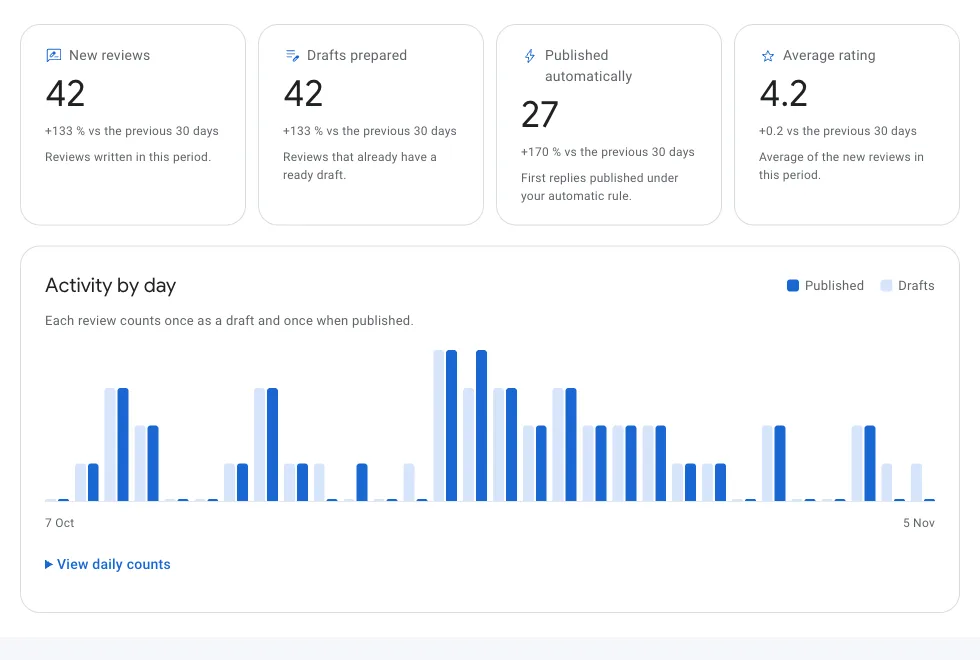
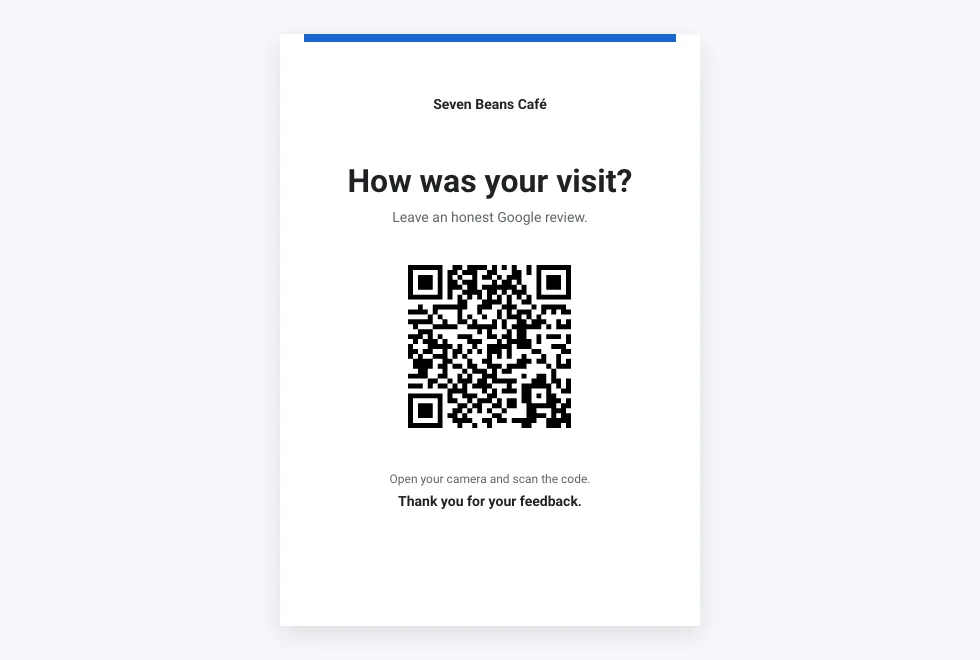
QR codes and review overview
Extra 100 replies - 399 UAHNo automatic overage chargesAuto-renewal only after you subscribePrices for other countries are coming soon
Good questions. Straight answers.
Can replies to Google reviews be automated?
Not in Google itself: Google Business Profile only lets you reply by hand. MapsReply connects to your profile through official Google access and replies automatically in your business’s style. By default, replies to reviews rated 1-3 stars wait for your approval; you can turn automatic replies on for them yourself.
How quickly should you reply to reviews?
Aim for 24-48 hours: the customer and everyone reading your profile see that the business is active. A reply a week later is late, though better than silence. MapsReply prepares a reply as soon as the review appears.
Can I check a reply before it is published?
Yes. Until you turn automatic replies on, you edit and approve every reply in your workspace or Telegram. Once they are on, you choose which ratings go out on their own; by default, 1-3 stars still wait for your approval.
What does the trial include?
14 days or 20 replies, whichever comes first. No bank card required. The trial starts after you connect and select your first Google location, and covers new reviews only. Older reviews become available with a paid subscription, within its allowance.
What counts as one reply?
One successfully published reply to one review. Editing, technical retries and up to three draft variants are included. The allowance is shared across all your locations.
What happens when I reach my allowance?
We warn you when you reach 80% of your allowance. Notifications about new reviews continue. An extra pack of 100 replies costs 399 UAH and is bought only when you choose, with no automatic overage charges.
Do review replies help my business rank higher on Google Maps?
Yes, they help. In its tips for improving local ranking, Google recommends replying to reviews: it shows you value customers and helps your business stand out. MapsReply replies to every review, consistently and without gaps. Your position also depends on distance, category, and the number and ratings of your reviews, so no honest service can guarantee a specific spot on Maps.
What if a reply to a negative review turns out badly?
By default, negative reviews go to you for approval. You can edit any draft before it is published, and automatic replies for 1-3 stars are switched on only by you.
What happens after 14 days or 20 replies?
The trial ends at whichever comes first. New drafts and publishing stop until you choose a plan. Nothing is charged automatically: we never asked for your card. Your workspace and settings stay.
How do I cancel?
In your workspace, open “Plan and usage” and press “Cancel automatic renewal”. Future payments stop, and the month you paid for keeps working to the end. You can also delete your account in its settings.
Is it safe to connect Google?
Yes. Sign-in needs only your email address. For your business we ask for one permission, Business Profile management, through the official Google Business Profile API. We read reviews and publish your replies; we never edit your profile or delete reviews. Revoke access any time in your Google Account.
Reviews sitting unanswered for weeks? Now every one has a reply, even when you’re on holiday.

 Google Business Profile
 Telegram
 Poster
 Altegio